

Which of our last ten campaigns had the worst open rate, and who opened it?
The ten campaigns ranked by open and click rate, then the subscribers behind whichever one came last.
-
list_campaigns -
get_campaign_report -
list_campaign_open_details
Setup guide
Connect Mailchimp once, paste one endpoint into Claude, and your Mailchimp login never goes into the chat.
Before you start
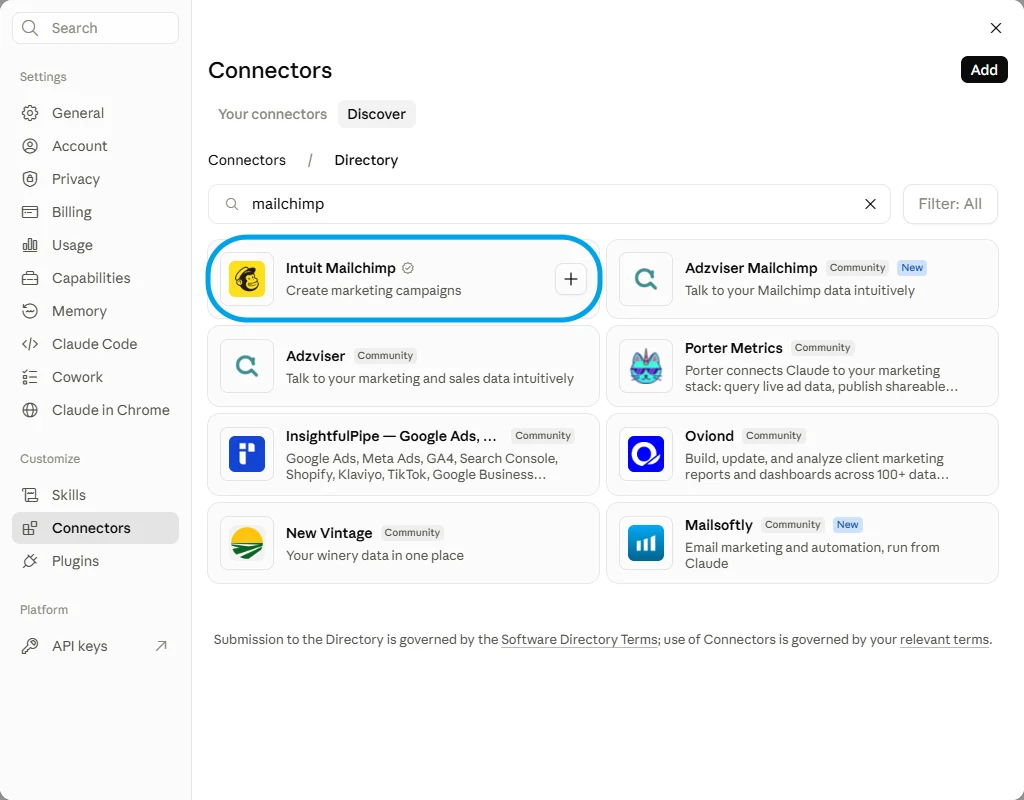
Intuit's own entry is built for one job, making campaigns, and it does that well. It stops at the send: not which campaign underperformed, not who clicked, not pausing an automation.
Intuit Mailchimp Verified
Versus
Connecting FloConnector connects Mailchimp, and Mailchimp is one of 62 connectors the same endpoint can carry. You do this setup once, not once per app.

Step one

Step two
Control
A profile carries only the tools you switch on, and the endpoint exposes only that profile. That is the whole permission model, and it is set before anyone connects.
Mailchimp Connected 16/274 10 read 6 write
Tick a row to include it, or flip Read only to lock every write off at once.
FloConnector holds the Mailchimp credential, encrypted before it is stored, and calls Mailchimp on the model's behalf. Claude sees the tools and their results, never the credential behind them.
Once it is connected
Each of these runs real Mailchimp tools, named underneath so you can see what Claude is actually calling. 16 of the 274 tools are covered here.
Which of our last ten campaigns had the worst open rate, and who opened it?
The ten campaigns ranked by open and click rate, then the subscribers behind whichever one came last.
list_campaigns get_campaign_report list_campaign_open_details Tag everyone who clicked a link in the June newsletter as warm-june.
The tag applied in Mailchimp, and a count of how many people it went on.
search_campaigns list_clicked_link_subscribers add_or_remove_member_tags Add these twelve people from the trade show to our main audience and tag them expo-2026.
Twelve subscribers created or updated. Existing contacts are updated rather than duplicated, because the tool upserts on the email address.
get_lists_info add_or_update_list_member add_or_remove_member_tags Draft next week's campaign to the customers segment, set the copy, and send me a test. Do not send it to anyone else.
A draft sitting in Mailchimp plus a test to your own inbox. Sending for real is a separate tool, so nothing goes out until you ask for it by name.
list_segments add_campaign set_campaign_content send_test_email Has anyone unsubscribed since the last send, and did any of them report us as spam?
Both lists, with the campaign each person came from.
list_unsubscribed_members list_abuse_reports Pause the welcome automation while we rewrite it.
The automation paused, and its name read back so you can confirm it paused the one you meant.
list_automations pause_automation_emails Troubleshooting
Claude Desktop sits on Connect after you signed in
The sign-in has usually succeeded. Check the profile in your dashboard: if the grant is there the connection is live, and restarting the desktop app clears the stale button. It is a client-side issue, not something the server can fix.
The connector saves but no tools appear
Disconnect and reconnect it once. If it is still empty, check in the dashboard that the connection behind the profile is still connected and that you are an assigned member of that profile.
The first load is slow on a very large profile
A profile exposing hundreds of tools takes longer to load, and a model given too many tools chooses worse. Split the work across two profiles rather than exposing everything at once. This is the failure mode most MCP write-ups name and never solve.
No. FloConnector holds the Mailchimp credential, encrypted before it is stored, and calls Mailchimp on the model's behalf. Claude only ever sees the tools and what they return, never the credential behind them.
Yes, and this is the setting worth getting right. Sending is its own tool, separate from creating a draft, so leaving it switched off on the profile means Claude can build and schedule nothing it cannot also send. Leave every write tool off and the connection is read-only.
No. FloConnector is the hosted MCP server. You paste a URL into Claude as a custom connector; there is nothing to deploy and no local process that has to stay running.
Both. The connector follows your Claude account rather than the device, so adding it once covers you in either. Custom connectors work on Claude's free plan too, which allows one, and one is enough: a single FloConnector profile can carry tools from every platform you connect.
Yes. The endpoint is a standard hosted MCP server, so the same profile URL works in any client that supports MCP connectors. The setup menus differ, which is what the per-client guides are for.
Mailchimp authorises a single account per connection, so a second Mailchimp account means a second FloConnector workspace. Worth planning for up front if you run campaigns for clients: it is one workspace each.
Claude can create a campaign and set its content, but Mailchimp's drag-and-drop template editor is not something the API exposes. Existing templates can be listed and applied. A new layout still gets built in Mailchimp.
Mailchimp is one of the largest connectors in the catalogue, and a model handed every tool at once picks worse ones. Switch on the dozen you actually use, and run a second profile for the occasional deep dive.
Your turn
One connection, one endpoint, and 274 Mailchimp tools your AI can actually run. Start free with 1,500 tool calls and see what your own first week looks like.
